The RV Journal Setting up an APRS iGate
|
 |
|||
| Since our APRS beacons are ported to the internet
via receiving stations known as iGates, some APRS'ers have asked about the hardware and
software requirements of setting up their own iGate. It is kinda cool to see where the
packets from your own tracker have ported through your own iGate and out to the internet.
An iGate is a great option for an aviator that routinely flies in a local area with a
sparse iGate population. But even if your local area has lots of repeaters, the addition
of an iGate only enhances the quality of APRS coverage. An iGate doesn't require a lot of expense, just some sort of receiver, your computer with a broadband connection and soundcard, some free software, and an antenna. Put everything together and get the software sorted out, and not only will you be able to see your aircraft tracker on the internet, but also your home-based iGate! If you are reading this article when my iGate is running, you can hit this link to see it on the map. Look for the white iGate diamond, KJ4CKK, at Athens, AL. Here is my iGate station:
The sound card (actually the computer's onboard sound card) serves as the packet modem
for decoding the incoming beacons. However, any receiver that will pick up 144.39 will
work (shortwave radio, scanner, handheld, etc). You just need a patch cable from the
"speaker out" of the radio to "line in" on your sound card.
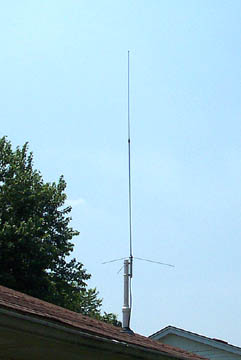
An inexpensive Diamond antenna is on the roof of the house:
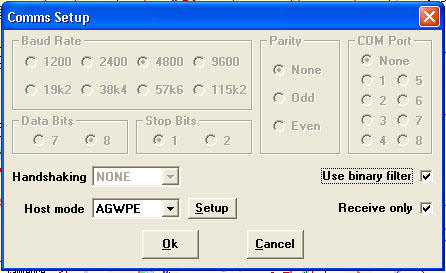
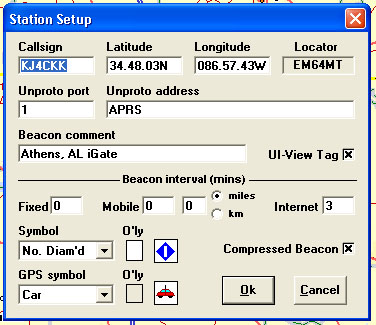
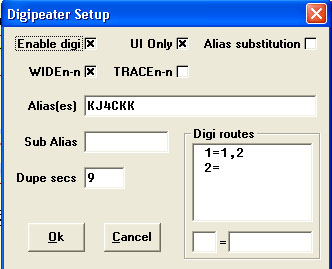
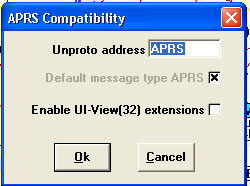
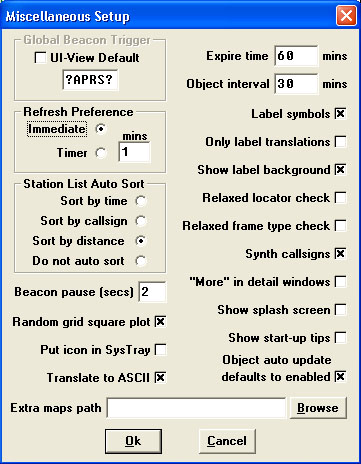
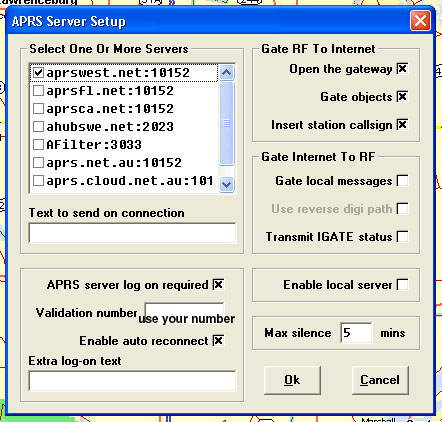
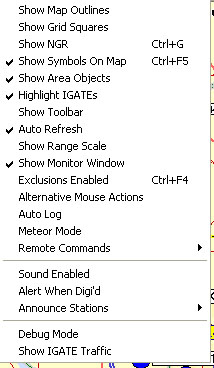
Update: Let's face it, the software referenced above is not very intuitive to set up and has brought some hams to tears when trying to set up their iGate. In order to make the process a little easier, below are screen shots from my iGate rig:
Hope that helps!
Return to The RV Journal front page
Please submit all questions and comments to sbuc@hiwaay.net
|
Getting Ready to Build Building the Tail Building the Wings The Finish Kit
|
|
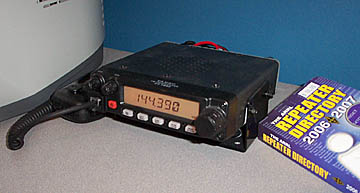 A Yaesu FT-1802 2-meter mobile radio feeds audio into the sound card of my
desktop. The mobile radio is powered by one of the old batteries out of the RV-6 which is
keep charged by a wall wart Battery Tender. Since the radio only receives as an iGate,
there is practically no current draw or heat produced.
A Yaesu FT-1802 2-meter mobile radio feeds audio into the sound card of my
desktop. The mobile radio is powered by one of the old batteries out of the RV-6 which is
keep charged by a wall wart Battery Tender. Since the radio only receives as an iGate,
there is practically no current draw or heat produced.